Setup Google Apps
Last Updated on Monday, 15 August 2011 07:27 Written by A.Jesin Tuesday, 28 June 2011 01:39
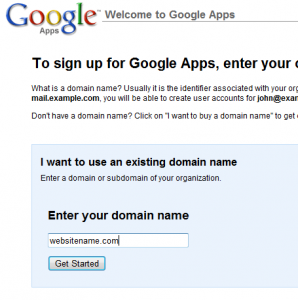
Google Apps is a service provided by Google using which you can create an email account with your own domain name. The advantage is the email service is powered by GMail which gives you features like 8GB inbox and the ability to chat with other GMail fellow mates. Whats more all other services provided by Google are also available for your domain. Take Google Docs for example, using Gogole Apps you can share documents within the users of your domain. On the free version of Google Apps you can create upto 50 users. In this tutorial I’ll show you how to setup Google Apps for your domain. For setting up Windows Live Domains see that article. Read More…
Using a Custom Domain on Blogger
Last Updated on Saturday, 13 November 2010 11:04 Written by A.Jesin Saturday, 13 November 2010 11:04
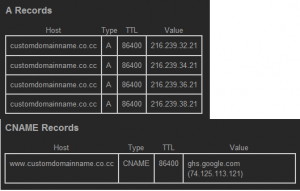
Blogger.com provided by Google is very good free blogging tool using which any newbie can setup their blog within a few minutes without knowing a single line of code. By default when you create a blog with blogger.com you’ll be provided with a subdomain name that looks like http://example.blogspot.com When you share this URL with your friends it might be difficult to remember because of the blogspot.com suffix. But you can use your own domain with Blogger service and you can easily buy your own domain because they are so cheap nowadays or if you don’t want to spend money register a free CO.CC domain or a .tk domain. Using a custom domain with blogger requires you to edit the domain’s DNS settings and a couple of Blogger settings which I’ll be telling you how. Read More…
Types of DNS Records
Last Updated on Tuesday, 2 November 2010 07:24 Written by A.Jesin Tuesday, 2 November 2010 02:11
DNS (Domain Name System) is an internet system which translates domain names into IP addresses. This is the definition that you commonly see around the internet, but practically it does much more like resolving mail servers for a domain, mapping an alias name of a domain to another domain, inform mail servers which sources of emails they should trust when they receive email from a particular domain and the list goes on. To handle all these tasks DNS has certain records for each domain or zone as it is technically called. I’ll be listing out the most popular DNS records and some technical jargon related to DNS. Read More…
Create your own email with Windows Live Custom Domains
Last Updated on Thursday, 23 June 2011 04:44 Written by A.Jesin Wednesday, 6 October 2010 10:56
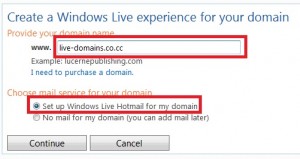
Are you tired of using an email address which is in someone else’s domain ? Does it add to your frustration when you want to signup for a particular name and you end up with lots of numbers and underscores in them ? How nice it would be if you could have your preferred user name followed by a personalized domain name suffix (after the ‘@’ symbol). Imagine how cool it would be to brag about this email ID among your friends with all generic names. Whats more, you can also allow your friends to create email addresses under your domain. The best thing is all this can be done free of cost from the comfort of your seat. Interested ? Read on…
Microsoft has a wonderful service named Windows Live Admin Center (formerly Windows Live Custom Domains) using which you can do wonders. Some of the coolest features of Windows Live Admin Center are
- Hotmail is used to manage emails for your domain so you
- Supports a whooping 500 user accounts and you can request more if required
- Allows users to signup for your domain using a feature named “Open Membership” Read More…
Configure and Setup a CO.CC domain
Last Updated on Monday, 15 August 2011 07:47 Written by A.Jesin Saturday, 31 July 2010 08:51
CO.CC is a service which offers free domains which can be configured as a TLD (Top Level Domain) with complete DNS controls. However if configuring DNS records is not your cup of tea you may be lost after registering your favorite domain name. Fear not you’ve come to the right place. In this post I’ll help you set up you new co.cc domain using screenshots. For this demonstration I’ll register a new domain called brand-new-domain.co.cc. After registering you’ll see a page similar to this